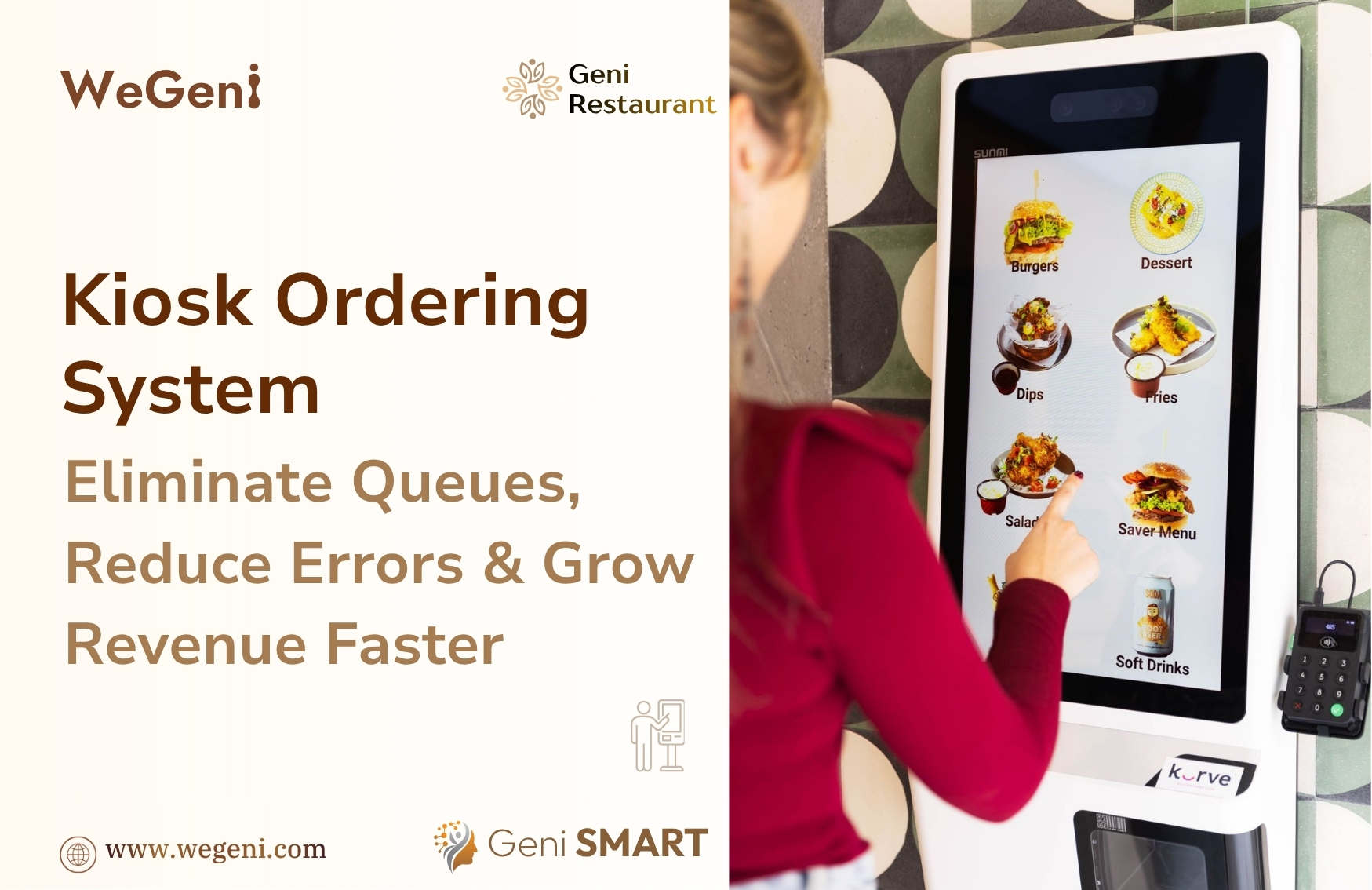
Kiosk Ordering System
If your restaurant is busy but revenue isn't growing — your ordering process is the problem. A restaurant kiosk ordering system fixes it. Here's exactly how.
Your restaurant is full. Staff are working hard. Food quality is great.
But customers are still walking out. Revenue is still leaking. And you can't figure out why.
The answer is almost always the same: the counter ordering process is broken.
A self-service kiosk ordering system for restaurants solves this at the root. Not by adding more staff — but by removing the bottleneck entirely.
In this guide, we break down the exact pain points draining your restaurant, explain what a restaurant kiosk ordering system does, and show you how Geni Restaurant's built-in Kiosk module addresses every problem — without adding complexity.
What Is a Restaurant Kiosk Ordering System?

A restaurant kiosk ordering system is a self-service touchscreen terminal that allows customers to browse the menu, customise their order, and complete payment — without needing a cashier.
Think of it as giving every customer their own personal ordering point:
→ No queue pressure. They browse at their own pace.
→ No miscommunication. They input every detail themselves.
→ No missed upsell. The system prompts upgrades automatically.
→ No staff needed at the counter. They pay and confirm — done.
Modern restaurant self-order kiosks are floor-standing or counter-mounted touchscreen units. When integrated into a restaurant management system — like Geni Restaurant — every order flows directly to the kitchen, payment is processed at the terminal, and all data is captured in real time.
6 Problems a Restaurant Kiosk Ordering System Solves

Before exploring the solution, here's what's actually costing restaurants money every day:
#1 Peak Hour Queue — One cashier handles one customer at a time. During rush hour, queues grow fast. Customers abandon after 3–5 minutes. Lost customer = lost revenue. Every. Single. Service.
#2 Order Errors — Verbal orders under pressure get misheard. Wrong modifier. Missed add-on. Result: remade dish, wasted ingredients, delayed table, unhappy customer.
#3 Missed Upsells — A cashier clearing a queue has zero time to suggest combos, add-ons, or upgrades. Industry data shows restaurants lose 15–30% of potential order value per transaction through missed upselling alone.
#4 Staff Stuck on Wrong Tasks — Your team spends shifts entering orders into a POS — not managing the dining room, not engaging guests, not ensuring food quality. High-cost resource. Low-value task.
#5 Inconsistent Customer Experience — Peak hour service feels rushed and error-prone. Quiet hours are smooth. Customers notice the inconsistency — and it erodes trust over time.
#6 No Real-Time Operational Data — You find out how your peak hours performed at the end of the day. By then, it's too late to act on any of it.
How a Self-Service Kiosk for Restaurants Works
Here's the customer journey on a restaurant self-order kiosk — start to finish:
① Approach the terminal. Menu loads instantly. No login needed.
② Browse at their own pace. Item images, descriptions, categories — all on screen.
③ Customise the order. Size, spice level, modifiers, add-ons — selected directly.
④ See upsell suggestions. Combos, pairings, upgrades — prompted automatically.
⑤ Review and confirm. Full order visible before submission.
⑥ Pay at the terminal. Cash, card, UPI, digital wallet — all accepted.
⑦ Order goes to kitchen. Instantly. No re-entry. No delay.
Total time: under 2 minutes. Zero errors. No staff needed at the counter.
"A restaurant kiosk ordering system doesn't replace your team — it frees them to do what technology never can: deliver genuine hospitality."
Geni Restaurant Kiosk Ordering System — Built In, Not Bolted On
Most kiosk products are standalone. Separate setup. Separate reporting. Painful POS integration.
Geni Restaurant's Kiosk Ordering System is different — it's a native module inside the same platform that runs your POS, kitchen, inventory, payments, and analytics.
Pain #1 — Queue? Solved.
✓ Multiple Terminals, Simultaneous Orders — Deploy multiple kiosk terminals. Several customers order at the same time. Queue times drop 40–60%. No bottleneck. No lost customers.
Pain #2 — Order Errors? Eliminated.
✓ Customer Inputs Their Own Order — Every selection made on screen and confirmed before submission. What they choose is exactly what the kitchen receives. No verbal miscommunication. No missed modifiers.
Pain #3 — Missed Upsells? Automated.
✓ Smart Upsell Prompts at Every Transaction — Combo suggestions, add-ons, and popular pairings — configured from your Geni menu and prompted automatically in the ordering flow. Average order value increases 15–30%. Every time. Zero staff effort.
Pain #4 — Staff Doing Wrong Work? Fixed.
✓ Counter Staff Redeployed — When ordering is handled by the kiosk, your team shifts to food quality, guest engagement, and dining room management — the work that actually drives loyalty.
Pain #5 — Inconsistent Experience? Standardised.
✓ Same Flow, Every Customer, Every Visit — Menu, upsell prompts, customisation options — identical every time. Consistent brand experience regardless of how busy it gets or who is working.
Pain #6 — No Data? Full Visibility.
✓ Real-Time Analytics Across Every Kiosk Order — Order volume, average order value, peak times, best-sellers — all visible live in Geni's analytics dashboard. Same view as your POS and delivery channels.
One Restaurant Management Platform — Every Channel Connected
Geni Restaurant's kiosk ordering system shares the same infrastructure as every other module on the platform. Nothing is duplicated. Nothing is disconnected.
Menu Management — Always in Sync
→ Update menu once. Reflects on POS, QR ordering, and kiosk simultaneously.
→ No separate kiosk menu to manage. One source of truth across all channels.
Kitchen Order Tickets (KOT) — One Unified Stream
→ Kiosk orders flow into the same KOT system as POS and delivery orders.
→ Kitchen staff see one dashboard. No second screen. No missed tickets.
Payments — Fully Integrated
→ Cash, card, UPI, and digital wallets — all accepted at the kiosk terminal.
→ Every transaction auto-recorded in Geni Payments. Zero manual entry.
Inventory Management — Updated in Real Time
→ Every kiosk sale deducts ingredients automatically via Recipe Management.
→ Stock alerts fire when levels drop — regardless of which channel sold the item.
Analytics — All Channels, One Report
→ Kiosk data appears alongside POS, QR, and delivery orders.
→ Compare channels. Spot trends. Act fast — in real time, not end of day.
Restaurant Kiosk Ordering System — Results by the Numbers
Restaurants deploying a self-service kiosk ordering system consistently report:
|
Metric |
Result with Kiosk Ordering |
|
Average Order Value |
↑ 15–30% increase |
|
Counter Queue Time |
↓ 40–60% faster |
|
Order Accuracy |
↑ Near-zero errors |
|
Staff Productivity |
↑ Freed for guest service |
|
Upsell Conversion |
↑ Every order, every time |
|
Peak Hour Capacity |
↑ Serve more, earn more |
These aren't projections. They're the result of removing friction, automating upselling, and connecting every ordering channel to one integrated system.
Which Restaurants Need a Kiosk Ordering System?
A restaurant kiosk ordering system delivers the strongest ROI for:
🍔 Quick Service Restaurants (QSR) — High volume, speed-critical. Kiosk clears queues and drives higher order values instantly.
☕ Cafés and Coffee Shops — Morning rush managed without extra counter staff. Full customisation — milk, syrups, shots — all configurable.
🏪 Food Courts — Multiple terminals. High footfall. Minimal staff per stall.
☁️ Cloud Kitchens — Walk-in self-service kiosk ordering. Kitchen team focuses entirely on fulfilment.
🍽️ Casual Dining — Lobby kiosks handle takeaway and pre-orders. Dine-in service uninterrupted.
🏨 Hotel Restaurants — Breakfast and lunch peaks handled without queue buildup.
🔗 Multi-Branch Chains — Menu and pricing synced across every outlet from one dashboard.
Multi-Branch Restaurant Management — Kiosk at Scale
For restaurant chains and franchise operations, Geni Kiosk integrates with the Multi-Branch Management module.
✓ Sync kiosk menus across all branches simultaneously from one dashboard.
✓ Push pricing updates and promotions to every outlet at once.
✓ Monitor each branch — order volume, value, peak times — centrally.
✓ Consistent brand experience across every location, every customer.
✓ Add new branches without rebuilding kiosk configurations from scratch.
Frequently Asked Questions — Restaurant Kiosk Ordering System
Q: What is a restaurant kiosk ordering system?
A: A restaurant kiosk ordering system is a self-service touchscreen terminal that lets customers browse the menu, customise their order, and pay — without needing a cashier. It connects directly to the kitchen and POS, automating the entire ordering flow.
Q: How does a kiosk ordering system increase restaurant revenue?
A: Kiosk systems increase revenue in two ways. First, they eliminate queue abandonment — customers who would have left now complete their order. Second, built-in upsell prompts increase average order value by 15–30% per transaction, automatically, without any staff involvement.
Q: Can a kiosk ordering system work with my existing POS?
A: Geni Restaurant's Kiosk Ordering System is built into the same platform as your POS — not integrated on top of it. Your menu, pricing, modifiers, and kitchen tickets are shared across both. No duplicate setup. No synchronisation issues.
Q: Is a kiosk ordering system suitable for small restaurants?
A: Yes. Geni Restaurant Kiosk is designed for businesses of all sizes — from single-outlet cafés and QSRs to multi-branch restaurant chains. Even a single terminal makes a measurable difference during peak hours.
Q: What payment methods does Geni Restaurant Kiosk support?
A: Geni Kiosk supports all major payment methods — cash, debit and credit card, UPI (Google Pay, PhonePe, Paytm), and online payment gateways. All transactions are automatically recorded in the Geni Payments module.
Q: How does kiosk ordering help reduce order errors?
A: Customers input their own selections on the kiosk screen and confirm the full order before submission. There is no verbal communication, no manual re-entry, and no step where human error can occur. What the customer selects is exactly what the kitchen receives.
Ready to Transform Your Restaurant with a Kiosk Ordering System?
The queue at your counter is costing you more than you realise.
Every peak hour without a restaurant kiosk ordering system is missed revenue, missed upsells, and missed customers.
Geni Restaurant's feature of Kiosk Ordering System is not a standalone product.
It's a fully integrated module — connected to your menu, kitchen, payments, inventory, and analytics from day one.
✓ No duplicate management.
✓ No second system to learn.
✓ No separate reconciliation.
Just smarter ordering — that increases revenue, eliminates errors, and frees your team.
Explore Geni Restaurant Kiosk Ordering System Today
👉 Book a Demo or Explore Features — https://wegeni.com/contact-us