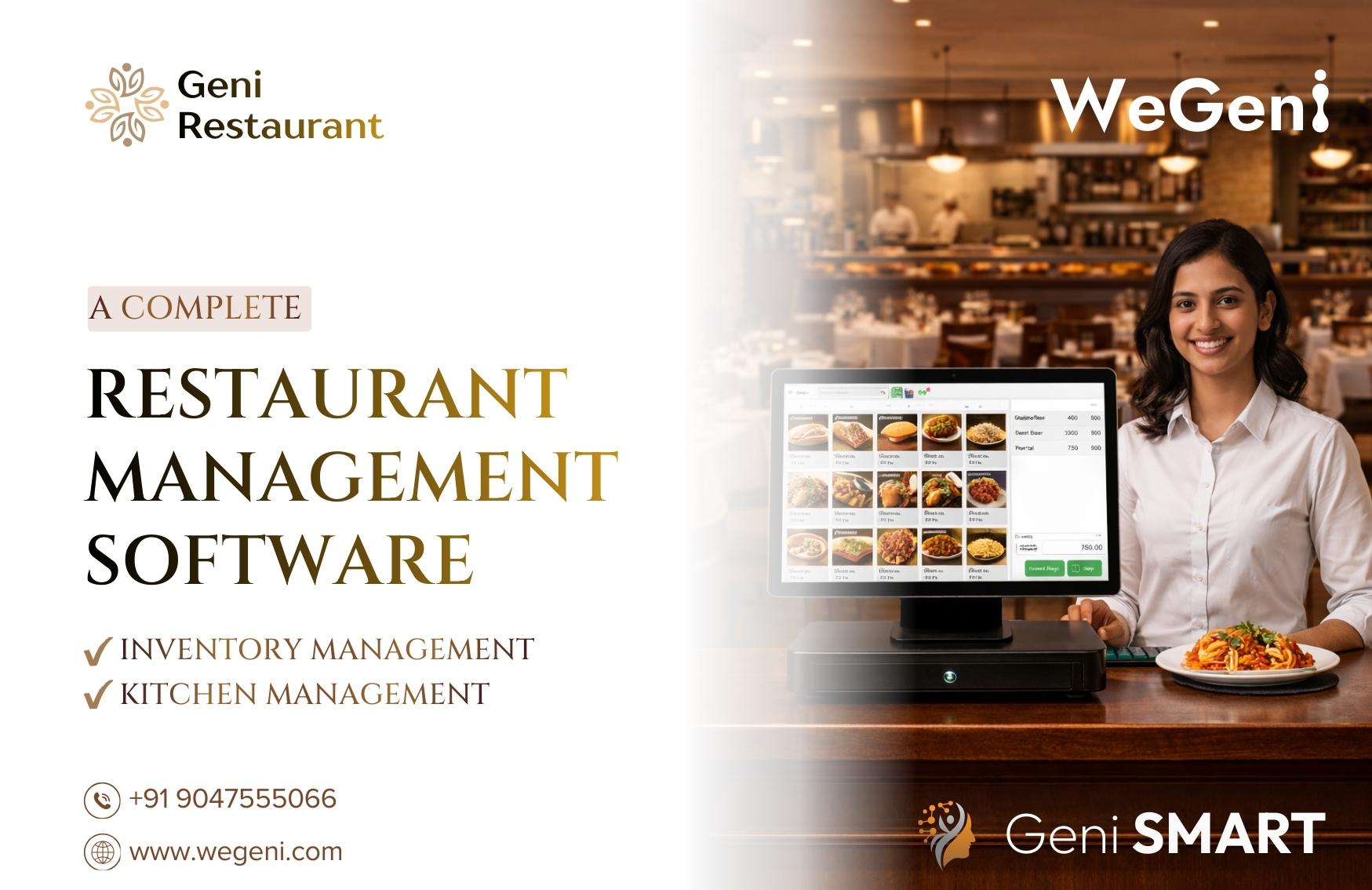
The Complete Restaurant POS Software to Manage Orders, Inventory, Kitchen, and Business Growth
Running a restaurant today is not just about cooking great food. Behind every successful restaurant is a complex system of operations that must run smoothly every day.
Restaurant owners and managers constantly deal with multiple operational challenges:
- Managing large and complex menus
- Handling dine-in, takeaway, and delivery orders
- Coordinating between the kitchen and service staff
- Tracking inventory and ingredient usage
- Monitoring staff performance
- Managing suppliers and purchase orders
- Tracking expenses and payments
- Understanding sales and business performance
Without the right technology, managing all these operations manually becomes extremely difficult. Errors increase, customer service slows down, and profitability becomes harder to maintain.
This is why modern food businesses are increasingly adopting restaurant management software and restaurant POS systems to automate operations and gain full control over their business.
Geni Restaurant Management System is a powerful restaurant POS software and complete restaurant management platform designed to simplify restaurant operations from end to end.
From menu management and POS billing to inventory management, kitchen coordination, staff management, and analytics, Geni Restaurant provides a single integrated solution for running restaurants efficiently.
Whether you run a multi-cuisine restaurant, QSR outlet, café, tea shop, coffee shop, cloud kitchen, or multi-outlet restaurant chain, this software helps streamline operations and support long-term business growth.
Why Restaurants Need Modern Restaurant POS Software
Restaurant owners often start with manual processes or basic billing tools. However, as the business grows, operational complexity increases.
Common challenges restaurants face include:
- Slow billing during busy hours
- Miscommunication between service staff and kitchen
- Inventory shortages or wastage
- Difficulty tracking supplier purchases
- Lack of visibility into business performance
- Poor coordination of reservations and table management
These issues not only slow down operations but also affect customer satisfaction and profitability.
A modern restaurant POS system and restaurant management software like Geni Restaurant solve these problems by digitizing the entire workflow.
The result is:
- Faster operations
- Better decision-making
- Reduced wastage
- Improved customer experience
- Higher profitability
Let’s explore how each feature of Geni Restaurant contributes to smarter restaurant management.
Menu Management System for Restaurants
Managing menus efficiently is essential for any restaurant.
Restaurants often offer dozens or even hundreds of menu items with different variations, ingredients, and customization options. Without a proper system, updating and managing menu items becomes difficult.
Geni Restaurant provides a powerful menu management system for restaurants that allows businesses to organize their menu clearly and efficiently.
Restaurants can create multiple menus such as:
- Breakfast menu
- Lunch menu
- Dinner menu
- Special seasonal menu
Each menu can be divided into categories such as:
- Starters
- Main course
- Beverages
- Desserts
This organized structure ensures that staff can easily find menu items in the POS system during order processing.
Menu Item Modifiers and Customization
Modern customers expect flexibility when ordering food. For example, customers may request:
- Extra toppings
- Different spice levels
- Size options
- Add-ons
Geni Restaurant supports modifier groups, allowing restaurants to offer customizable menu items.
For example:
A pizza restaurant may include options like:
- Extra cheese
- Thin crust or thick crust
- Additional toppings
A coffee shop may include options like:
- Extra espresso shot
- Almond milk or oat milk
- Flavor syrups
This flexibility makes the system ideal for QSR restaurants, cafés, coffee shops, and tea shops.
Benefits of Menu Management Software
- Faster order processing
- Better menu organization
- Reduced order errors
- Improved customer experience
Table Management Software for Restaurants
For dine-in restaurants, managing tables efficiently is critical to maintaining smooth operations.
During busy hours, many restaurants struggle with:
- Confusion about available tables
- Long waiting times for customers
- Inefficient seating arrangements
Geni Restaurant includes a table management software module that allows restaurants to digitally organize their dining area.
Restaurants can create different dining zones such as:
- Indoor dining area
- Outdoor seating
- VIP section
- Rooftop dining
Each table can be configured with:
- Table code or number
- Seating capacity
- Table status
Staff can quickly identify available tables and seat customers efficiently.
Benefits of Table Management
- Faster customer seating
- Improved dining experience
- Better table utilization
QR Code Ordering System
Customer expectations have changed dramatically in recent years. Many diners now prefer digital and contactless ordering.
Geni Restaurant includes a QR code ordering system for restaurants that allows customers to place orders directly from their smartphones. Each table generates a unique QR code. When customers scan the QR code, they can:
- View the digital menu
- Customize their order
- Place orders instantly
This reduces waiting time and allows restaurants to serve customers faster.
Benefits of QR Ordering
- Contactless dining experience
- Reduced staff workload
- Faster order placement
- Better customer convenience
Restaurant Reservation System
Managing reservations manually often leads to errors such as double bookings or miscommunication.
Geni Restaurant provides a restaurant reservation management system that helps restaurants handle bookings efficiently.
Restaurants can manage reservation details including:
- Reservation date
- Number of guests
- Time slots
- Meal type (Lunch or Dinner)
- Special requests
Customer contact details are also stored for easy communication.
Benefits of Reservation Management
- Better table planning
- Improved customer service
- Reduced booking errors
Restaurant POS Billing Software
The POS system is the operational core of every restaurant.
Slow billing can create long queues and negatively impact customer experience.
Geni Restaurant provides a fast and reliable restaurant POS billing software that helps staff process orders quickly.
The POS interface allows staff to:
- Select menu items
- Apply modifiers
- Adjust quantities
- Generate bills
- Process payments
The POS system supports multiple order types including:
- Dine-in orders
- Takeaway orders
- Delivery orders
Benefits of Restaurant POS System
- Faster billing
- Accurate order processing
- Better customer service
Customer Management (Restaurant CRM Software)
Customer loyalty is a key driver of restaurant success.
Geni Restaurant includes a restaurant CRM system that allows restaurants to store customer information such as:
- Customer name
- Phone number
- Email address
- Address
Restaurants can track customer preferences and order history to deliver personalized experiences.
Benefits
- Increased repeat customers
- Better marketing opportunities
- Improved customer engagement
Staff Management Software
Managing restaurant staff effectively is essential for smooth operations.
Geni Restaurant provides restaurant staff management software that allows managers to maintain employee records.
Staff profiles include:
- Staff name
- Contact details
- Login credentials
- Role assignments
Roles can include:
- Manager
- Waiter
- Cashier
- Kitchen staff
Benefits
- Improved staff accountability
- Better team coordination
Delivery Executive Management System
Many restaurants now operate delivery services alongside dine-in operations. Geni Restaurant includes a delivery management module for managing delivery staff.
Restaurants can maintain records such as:
- Delivery executive name
- Contact details
- Availability status
Benefits
- Efficient delivery coordination
- Faster order fulfillment
This feature is particularly valuable for cloud kitchens and delivery-focused restaurants.
Expense Management System
Restaurant profitability depends heavily on managing operational costs.
Geni Restaurant includes an expense management system where businesses can track expenses such as:
- Rent
- Electricity
- Salaries
- Equipment maintenance
- Raw materials
Benefits
- Better financial visibility
- Improved cost control
Payment Tracking System
Restaurants handle payments through multiple methods including cash, cards, and digital wallets.
Geni Restaurant allows restaurants to track:
- Completed payments
- Pending payments
- Outstanding dues
Benefits
- Improved financial transparency
- Better accounting management
Advanced Reports & Analytics
Understanding business performance is crucial for restaurant growth. Geni Restaurant provides detailed restaurant analytics and reporting tools including:
- Sales reports
- Item performance reports
- Category sales reports
- Delivery reports
- Cancelled order reports
- Removed KOT item reports
- Outstanding payment reports
- Tax reports
Benefits
- Identify best-selling dishes
- Understand sales trends
- Improve menu strategy
Inventory Management
Inventory management is one of the most challenging aspects of restaurant operations.
Restaurants often face issues such as:
- Running out of key ingredients
- Overstocking raw materials
- Food wastage
Geni Restaurant includes restaurant inventory management software that tracks raw materials and stock levels in real time.
Restaurants can manage:
- Inventory items
- Measurement units
- Stock levels
- Threshold alerts
Stock movements include:
- Stock In
- Stock Out
- Waste
- Transfer
Benefits
- Accurate stock tracking
- Reduced wastage
- Better purchasing decisions
Recipe Management System
Geni Restaurant includes a recipe management system for restaurants that connects menu items with ingredients.
For example:
A burger may include:
- Bun
- Patty
- Lettuce
- Sauce
When the burger is sold through POS, the system automatically deducts ingredients from inventory.
Benefits
- Accurate inventory tracking
- Controlled food costs
Purchase Order Management System
Restaurants regularly purchase ingredients and supplies from vendors.
Geni Restaurant includes a purchase order management system that allows restaurants to generate purchase orders directly.
Purchase orders include:
- Supplier name
- Order date
- Delivery date
- Item quantity
- Price
Benefits
- Organized procurement
- Better supplier coordination
Supplier Management System
Restaurants can manage supplier information within the system.
Supplier profiles include:
- Supplier name
- Contact details
- Address
Benefits
- Organized vendor records
- Simplified purchasing operations
Kitchen Management System (KOT)
Kitchen coordination is essential for delivering orders quickly and accurately.
Geni Restaurant includes a Kitchen Order Ticket (KOT) system that sends orders directly from the POS to the kitchen.
Restaurants can configure multiple kitchen stations such as:
- Main kitchen
- Beverage counter
- Dessert station
Benefits
- Faster kitchen operations
- Reduced order errors
Kitchen Settings- Configure Kitchen Workflow
The Kitchen Settings module allows restaurants to configure how kitchen operations function within the system.
Restaurants can define kitchen workflows and configure how orders are routed to kitchen stations.
This ensures that the kitchen operates efficiently and receives accurate order information.
Business Benefits
- Better kitchen coordination
- Faster food preparation
- Improved operational efficiency
All Kitchen KOT- Centralized Kitchen Order Ticket Management
The All Kitchen KOT module provides a centralized view of all kitchen order tickets.
This allows kitchen staff to view:
- active orders
- order details
- preparation instructions
Kitchen staff can easily track and manage incoming orders in real time.
Business Benefits
- Clear order visibility for kitchen staff
- Faster order preparation
- Reduced kitchen confusion
Advanced Settings & Configuration System
Without a centralized configuration system, restaurant owners often face challenges such as:
- Incorrect billing settings
- Misconfigured printers for kitchen orders
- Difficulty managing multiple branches
- Inconsistent tax application
- Poor control over staff access
To address this, Geni Restaurant Management System includes a powerful centralized Settings Module that acts as the control center of the entire platform.
- Restaurant Information Management
The Restaurant Information section allows restaurant owners to define and manage the basic identity and contact information of their business.
This includes details such as:
- Restaurant name & Contact number
- Restaurant email address
- Restaurant address
- These details automatically appear in multiple areas of the system including:
- POS billing receipts
- Customer communication
- Order confirmations
- Reservation notifications
For restaurants operating both physical outlets and online ordering platforms, maintaining accurate restaurant information is essential for consistent branding and communication.
Benefits
- Accurate information on receipts and invoices
- Professional customer communication
- Consistent branding across systems
1. App Settings for Operational Configuration
Every restaurant has its own operational workflow. Some restaurants prioritize dine-in services, while others focus on takeaway or delivery.
The App Settings module allows businesses to configure how the restaurant management software behaves during daily operations.
Benefits
- Customizable operational workflows
- Adaptable restaurant POS system behavior
- Flexible configuration for different restaurant types
2. Branch Settings for Multi-Location Restaurant Chains
Many restaurant businesses operate multiple outlets or branches. Managing multiple locations manually can quickly become complicated without centralized control.
The Branch Settings module allows restaurants to configure and manage different branches within the system.
Each branch can have its own:
- Branch information
- Operational settings
- Staff assignments
- POS configurations
This makes Geni Restaurant particularly suitable for restaurant chains, franchise operations, and multi-outlet hospitality businesses.
Benefits
- Centralized control over multiple restaurant locations
- Simplified branch management
- Consistent operational standards across outlets
3. Currency Settings for Flexible Billing
Restaurants operating in different regions or catering to international customers may need to manage different currencies.
The Currency Settings module allows restaurant owners to configure the currency used within the POS billing system.
This ensures that:
- Bills are generated correctly
- Payment records remain accurate
- Financial reports use the correct currency format
Benefits
- Accurate billing and financial reporting
- Support for international restaurant operations
4. Email Settings for Automated Notifications
Customer communication plays a critical role in maintaining a positive dining experience.
The Email Settings module allows restaurants to configure automated email communication within the system.
These emails can be used for notifications such as:
- reservation confirmations
- order updates
- customer notifications
This helps restaurants maintain professional and automated communication with their customers.
Benefits
- Improved customer engagement
- Automated communication workflows
- Reduced manual communication effort
5. Tax Configuration for Restaurant Billing
Handling taxes manually can lead to errors and compliance issues.
The Tax Settings module allows restaurants to configure tax rules that are automatically applied during billing.
Restaurants can define various tax structures such as:
- GST
- VAT
- service tax
These tax configurations are applied automatically to orders within the restaurant POS billing system.
Benefits
- Accurate tax calculations
- Simplified tax compliance
- Clear financial reporting
6. Payment Gateway Integration
Modern restaurants must support multiple payment methods to meet customer expectations.
The Payment Gateway Settings module allows restaurants to integrate digital payment options with the POS system.
Supported payment options may include:
- cash payments
- debit and credit cards
- UPI payments
- online payment gateways
This ensures smooth payment processing for dine-in, takeaway, and delivery orders.
Benefits
- Faster payment processing
- Flexible payment options for customers
- Improved billing efficiency
7. Theme Settings for Brand Customization
Restaurants today invest heavily in brand identity and customer experience.
The Theme Settings module allows restaurants to customize the visual appearance of customer-facing interfaces.
This may include styling elements used in:
- Digital menus
- Customer ordering platforms
- Restaurant interfaces
This ensures a consistent and professional digital presence.
Benefits
- Enhanced brand identity
- Improved customer interface experience
8. Staff Roles & Permission Management
Restaurants typically have multiple staff members working in different roles.
The Staff Roles module allows managers to define role-based permissions within the restaurant management software.
Common roles include:
- administrator
- manager
- cashier
- waiter
- kitchen staff
Each role can have different system access permissions to ensure secure operations.
Benefits
- Controlled access to system features
- Improved operational security
- Clear staff responsibilities
9. Billing Configuration for POS Operations
The Billing Settings module allows restaurants to customize how billing works within the POS system.
Restaurants can configure elements such as:
- invoice formatting
- billing behavior
- payment processing options
These configurations help restaurants align the POS billing workflow with their operational requirements.
Benefits
- Flexible billing processes
- Professional POS billing system configuration
10. Reservation Settings
Restaurants that accept reservations can configure booking behavior through the Reservation Settings module.
These settings allow restaurants to control how reservations are handled within the system.
Configurations may include:
- reservation availability
- booking preferences
- reservation workflow settings
Benefits
- Better reservation management
- Improved table planning
11. About Us Section for Restaurant Branding
The About Us module allows restaurants to include brand information within the system.
Restaurants can add details such as:
- Restaurant story
- Brand description
- Business background
This information can appear in customer-facing interfaces and helps build credibility and trust.
12. Customer Site Configuration
The Customer Site module allows restaurants to configure how customers interact with the restaurant through digital interfaces.
This includes customer-facing platforms where customers may:
- Browse menus
- Place orders
- Make reservations
This feature helps restaurants create a smooth digital ordering experience.
13. Receipt Settings for POS Billing
The Receipt Settings module allows restaurants to customize how receipts are generated within the POS system.
Restaurants can configure:
- Receipt layout
- Displayed information
- Billing details
- Receipts typically include:
- Restaurant information
- Ordered items
- Taxes and charges
- Total bill amount
Benefits
- Professional billing receipts
- Clear financial documentation
14. Printer Settings for POS and Kitchen Operations
Restaurants rely heavily on printers for order processing.
The Printer Settings module allows businesses to configure printers used for:
- POS receipts
- kitchen order tickets (KOT)
- order printing
This ensures smooth communication between service staff and kitchen teams.
Benefits
- Faster order processing
- Efficient kitchen communication
15. Delivery Settings for Delivery Operations
Restaurants offering delivery services can configure delivery workflows through the Delivery Settings module.
These settings help manage delivery operations efficiently.
Benefits
- Improved delivery coordination
- Better order fulfillment
16. KOT Settings for Kitchen Order Management
Kitchen communication is critical for restaurant efficiency.
The KOT Settings module allows restaurants to configure how kitchen order tickets are generated and routed to kitchen stations.
This ensures that kitchen staff receive clear instructions for food preparation.
Benefits
- Faster kitchen operations
- Reduced order confusion
17. Cancellation Reason Management
Orders may occasionally be cancelled due to various reasons.
The Cancellation Reasons module allows restaurants to define and record standardized cancellation reasons.
This data helps restaurant owners analyze operational issues and improve service quality.
Benefits
- Better operational insights
- Improved service quality
18. Order Settings for Workflow Control
The Order Settings module allows restaurants to configure how orders are processed within the system.
These settings help customize the order workflow according to restaurant operations.
Benefits
- Flexible order management
- Optimized restaurant workflows
Why the Settings Module is Critical for Restaurant Management Software
The Settings Module ensures that all parts of the restaurant management system work together seamlessly.
By providing centralized configuration for:
- POS billing
- kitchen management
- inventory operations
- Delivery workflows
- Customer ordering systems
Geni Restaurant gives restaurant owners complete control over their operations.
Built for All Types of Food Businesses
Geni Restaurant Management System is designed to support a wide range of food and hospitality businesses, including:
- Multi-cuisine restaurants
- Quick Service Restaurants (QSR)
- Cafés
- Tea shops
- Coffee shops
- Cloud kitchens
- Food courts
- Multi-outlet restaurant chains
Beyond these, the system can also be used by any food-related business that requires efficient operations. Its flexible and scalable erp software, suitable for all small food outlets and large hospitality businesses.
Transform the Way You Manage Your Restaurant
Managing a restaurant involves many moving parts. Without the right technology, operations can become complicated and inefficient.
Geni Restaurant brings together restaurant POS software, inventory management software, kitchen management system, CRM tools, and business analytics into one integrated platform.
By automating daily processes and providing real-time insights, the system helps restaurants:
- Improve operational efficiency
- Reduce manual errors
- Enhance customer experience
- Increase profitability
Discover the Power of Geni Restaurant
If you are looking for a modern restaurant POS software and restaurant management system to streamline operations and support business growth, Geni Restaurant provides everything you need in one platform.